Last updated: October 12, 2026 · Prices checked on manufacturer stores this month
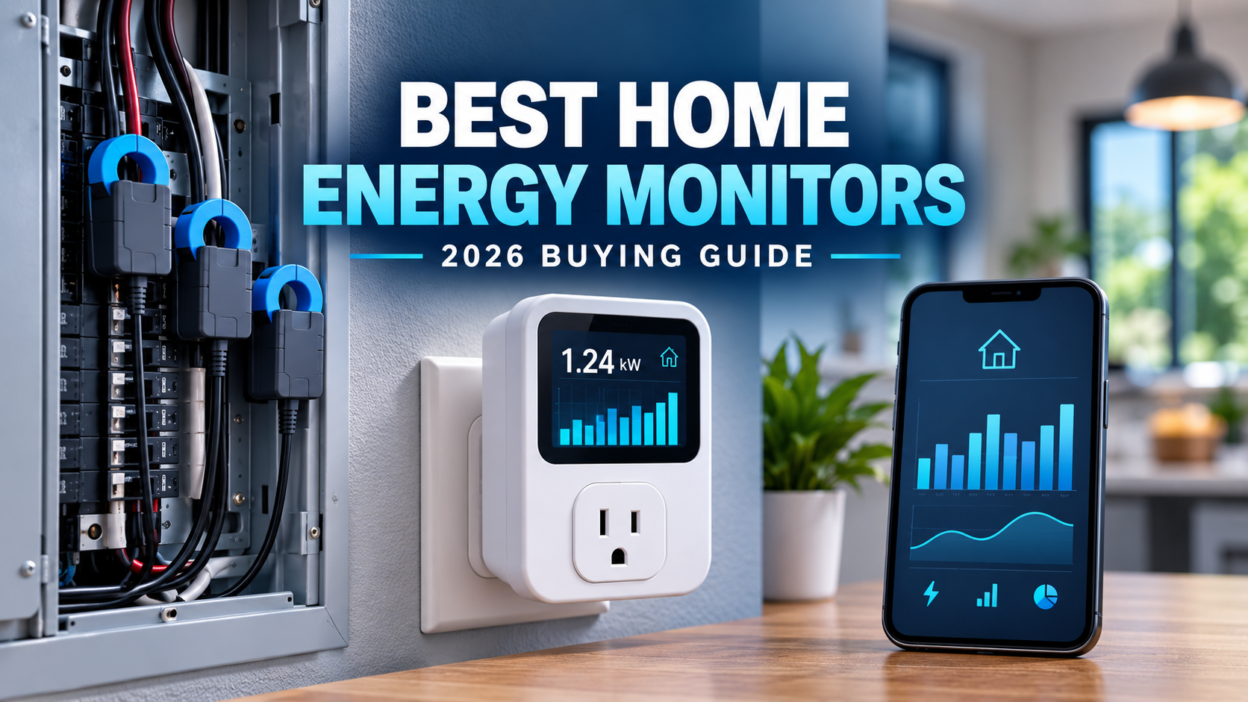
A home energy monitor clamps sensors onto the wires in your electrical panel and shows, in real time, how much electricity your whole house — and often each circuit — is using. It turns a single monthly bill into data you can act on: which appliance is driving the cost, what your EV charger really draws, how much solar you export, and how big a backup battery actually needs to be.
- Best overall: Emporia Vue 3 — whole-house plus 16 circuits, $199.99 with sensors
- Best for Home Assistant / local data: Refoss EM16P — 16 circuit sensors, MQTT and open API, from $159.99
- Best for three-phase and automation: Shelly Pro 3EM — Ethernet, MQTT, Modbus, 60 days of on-device data
- Best simple whole-house monitor: Eyedro Home — two mains sensors, no panel wiring for power
- Best for one appliance: an energy-monitoring smart plug
What changed this year: Sense, long the default “smart” pick in these lists, stopped selling its Home Monitor hardware on December 31, 2025, and now focuses on software built into utility smart meters. Many guides still recommend buying a Sense monitor. We moved it out of our picks — see what happened to Sense below.
How we chose: This is a research-based comparison, not a lab test. We compared current manufacturer specifications, prices, installation requirements, data access (cloud vs local) and long-term support, and checked owner discussions for recurring problems. We do not repeat manufacturer savings claims as guaranteed results. Read more about how we research products.
Best home energy monitors compared
| Monitor | Price (Oct 2026) | Circuits monitored | Works without internet? | Solar | Best for |
|---|---|---|---|---|---|
| Emporia Vue 3 | $199.99 (16 sensors) | Mains + up to 16 | No — cloud required | Yes | Most homeowners |
| Refoss EM16P | $159.99 sale / $199.99 | Mains + 16 (up to 18 total) | Yes — local web, MQTT, API | Yes | Home Assistant users |
| Shelly Pro 3EM | ~$121–$151 | 3 phases / 3 channels | Yes — local web, MQTT, Modbus | Yes | Three-phase, automation |
| Eyedro Home | $179 | Whole house (2 mains sensors) | Partial local monitoring | Supported | Simple whole-house tracking |
| Energy-monitoring smart plug | Usually under $25 | One outlet | Depends on brand | No | Measuring one appliance |
Prices are list or sale prices on each manufacturer’s US store when checked and change often. Shelly’s price was $150.99 list and $120.79 on sale.
Safety first: Every panel-mounted monitor here is installed inside your electrical panel, next to conductors that stay live even with the main breaker off. Hire a licensed electrician unless you are trained and local rules let you do the work yourself.
Whole-house, circuit-level or plug-in: which type do you need?
Most confusion about home energy monitors comes from mixing up three different products.
- Whole-house energy monitor: two sensors on the main feeds measure everything the home uses. Good for total usage, cost tracking and spotting big spikes. It cannot tell you whether the spike was the dryer or the water heater. Example: Eyedro Home.
- Circuit-level monitor: adds a small clamp on individual breakers. You see the heat pump, EV charger, water heater and kitchen separately. This is what you want for cutting a bill or sizing backup power. Examples: Emporia Vue 3, Refoss EM16P.
- Plug-in monitor or smart plug: sits between one appliance and the wall outlet. Cheapest and most precise for that one device, useless for hardwired loads.
If you are not sure, a circuit-level monitor is the safer buy. It does everything a whole-house monitor does, plus breaker detail, for a similar price in 2026.
1. Emporia Vue 3 — best home energy monitor overall
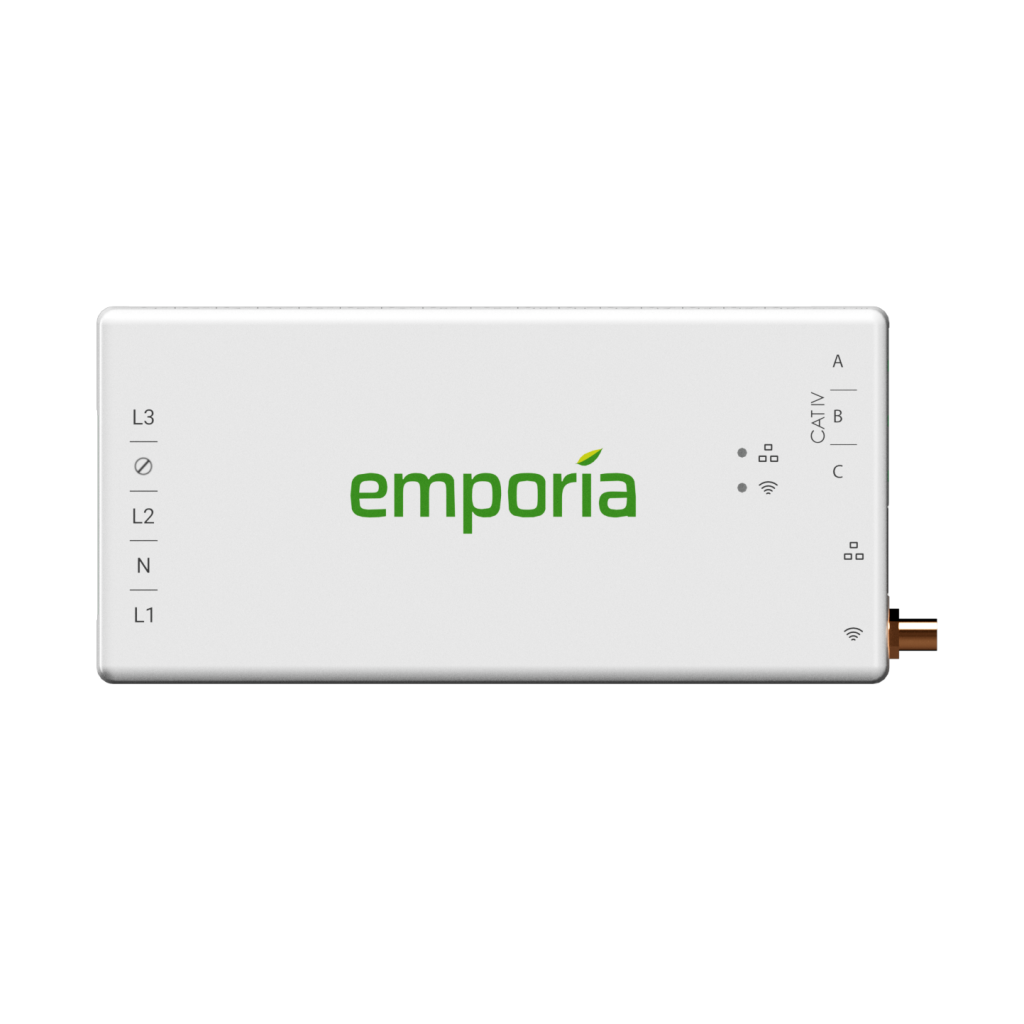
The Vue 3 is the easiest recommendation for most homes because it combines whole-house monitoring with real circuit-level data at a price that is hard to beat. The 16-sensor kit lists at $199.99, which works out to about $12 per monitored circuit. Monitor-only and 8-sensor versions are also sold.
Up to three 200A main sensors track total household demand, and up to sixteen 50A clamps go on the breakers you care about: HVAC, water heater, dryer, oven, EV charger, well pump or solar inverter. Readings update every second in the app, with minute, hour and day history. It supports single-phase, split-phase and three-phase wye systems and lists UL 61010 and UL 2808 certification.
- Why it wins: real circuit data from day one (no learning period), low cost per circuit, solar monitoring, and it works with Emporia’s EV charger and smart plugs
- Watch out for: Emporia says the Vue does not store data locally and needs an internet connection. Sixteen extra wires take up room in a crowded panel.
- Skip it if: you want local-only data or Home Assistant without the cloud — look at Refoss or Shelly instead
Check current kits and compatibility on the Emporia Vue 3 product page. For a head-to-head on the old Sense hardware, see our Emporia Vue 3 vs Sense comparison.
2. Refoss EM16P — best for Home Assistant and local data
Refoss has become the popular alternative for smart-home users who do not want their energy data locked in someone else’s cloud. The EM16P monitors the mains plus 16 circuits (Refoss lists up to 18 in total) and is priced at $159.99 on sale, $199.99 regular on the Refoss store.
Its main advantage over the Vue is data access. It offers a local web interface that works offline, MQTT, and a documented open API, and it works with Home Assistant natively without flashing custom firmware. Refoss quotes an error margin within ±2%, lists ETL certification to UL 61010, and supports solar consumption and feed-in tracking.
- Why pick it: local control and offline access, similar circuit count to the Vue, often cheaper
- Watch out for: a younger brand with a smaller support history, and the product page doesn’t list supported electrical systems or CT ratings, so confirm your panel before buying
- Skip it if: you want the most polished app and an ecosystem with matching EV chargers and plugs — Emporia is stronger there
See specifications on the official Refoss EM16P page, or read our head-to-head Emporia Vue 3 vs Refoss EM16P comparison.
3. Shelly Pro 3EM — best for three-phase homes and automation
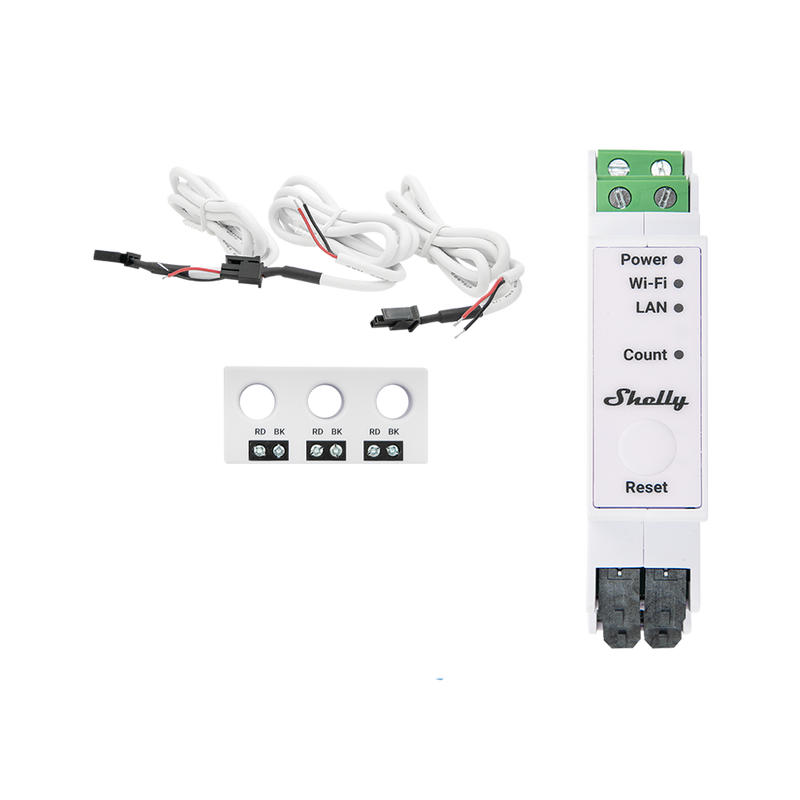
The Shelly Pro 3EM is a DIN-rail energy meter rather than a consumer kit, and that is exactly why technical buyers like it. It has Ethernet and 2.4 GHz Wi-Fi (either can back up the other), Bluetooth, and an unusually open set of protocols: MQTT, Modbus, RPC, HTTP, WebSocket, scripting and webhooks. It keeps at least 60 days of one-minute records on the device and exports CSV and JSON.
It is the strongest pick here for three-phase installations, common in Europe, Asia and Australia, and for anyone building automations such as switching loads when solar export is high. Shelly lists ±1% current accuracy and a five-year warranty on its US store, where it was $150.99 list and $120.79 on sale when we checked.
- Why pick it: local-first, three-phase, best data access in this list, long warranty
- Watch out for: it measures three channels, not 16 individual breakers. The 3CT63 version uses 63A clamps, so check Shelly’s higher-current variants if you want to measure 200A mains. The US product page lists EU, UK and AU/NZ certifications but not UL, so confirm local acceptance first.
- Skip it if: you want a simple app that shows each appliance circuit
Wiring diagrams and limits are on the official Shelly Pro 3EM page.
4. Eyedro Home — best simple whole-house energy monitor
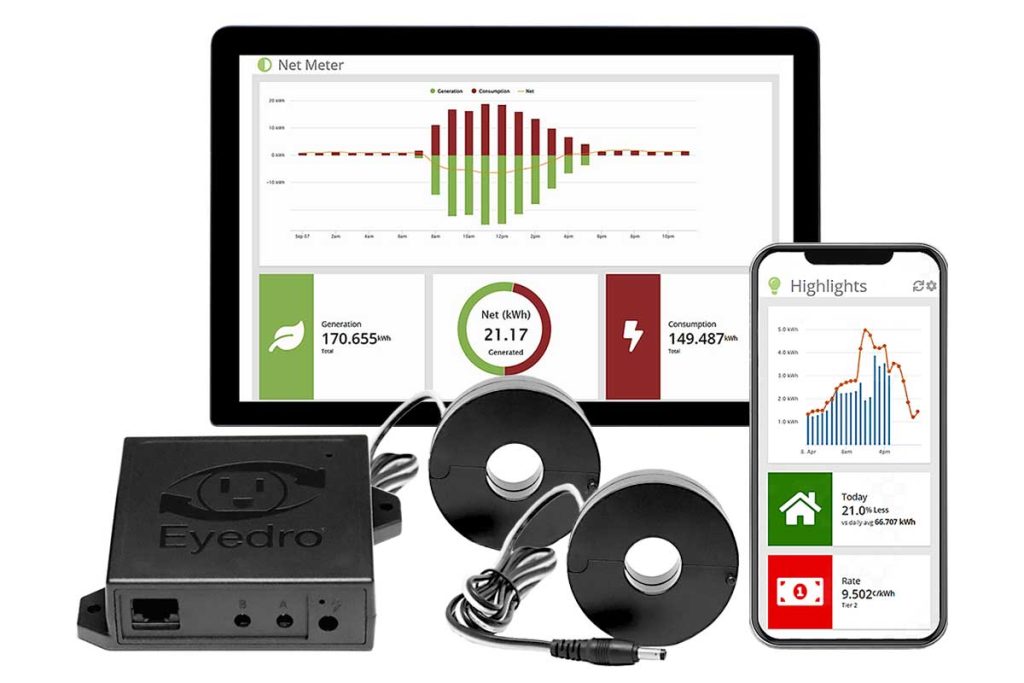
If you only want to see total electricity use and cost, without mapping every breaker, Eyedro keeps it simple. The kit ($179, down from a $319 list price) includes two directional 200A split-core sensors for the main feeds, a sensor module, an Ethernet cable and a 6VAC plug-in power adapter. Because it is powered from a wall adapter rather than a breaker, there is less wiring inside the panel than with most monitors.
The MyEyedro dashboard shows real-time graphs, cost estimates, bill comparisons and downloadable data, over Wi-Fi or Ethernet. The US/Canada model is built for 120/240V 60Hz service, and a separate European model is available.
- Why pick it: straightforward whole-house tracking, wired Ethernet option, less panel wiring
- Watch out for: two sensors means no breakdown by circuit, so you will see that usage spiked but not which appliance caused it
- Skip it if: your goal is to find which appliance is raising your bill
Confirm the right regional model on the official Eyedro product page.
5. Energy-monitoring smart plug — best for one appliance
You may not need a panel monitor at all. To check what a refrigerator, freezer, dehumidifier, TV or gaming PC really uses, an energy-monitoring smart plug or plug-in watt meter is cheaper, needs no electrician and measures that one load directly.
Run it for several days on anything that cycles, such as a fridge, so you capture a realistic daily kWh figure. Never use an ordinary smart plug on a load above its rated current, on motor loads it isn’t rated for, or on hardwired equipment.
Our guide to measuring appliance energy use before buying backup power shows how to turn those readings into battery capacity.
What happened to Sense?
Sense was famous for using machine learning to recognize individual appliances from their electrical signatures, with no per-circuit clamps. In 2025 the company announced it was moving from selling monitors to licensing its software for utility smart meters. Sense says it stopped selling the Home Monitor on December 31, 2025, or earlier if stock ran out.
For existing owners, Sense says app updates, security patches, device detection, solar support and customer service continue, and it gives a rough 10-year lifespan guideline. But we no longer recommend buying a Sense monitor from a reseller today. Sense’s own support article is inconsistent about whether resold units carry a warranty, and the product is no longer being developed for direct sale.
If your utility offers Sense through its smart meter, the app can still be worth trying, as it costs nothing extra. Check your utility’s program and the Sense support page.
How to choose a home energy monitor
1. Decide what question you need answered
“Why is my bill high?” needs circuit-level data. “How much do we use overall?” needs a whole-house monitor. “What does this fridge use?” needs a plug. Buying the wrong type is the most common mistake.
2. Count the circuits that matter
Open the panel door (don’t remove the cover) and list the big 240V breakers: HVAC or heat pump, water heater, dryer, range, EV charger, pool or well pump. Many homes have fewer than a dozen circuits worth monitoring, so a 16-sensor kit usually leaves room to spare.
3. Cloud or local?
Cloud monitors like the Emporia Vue are easiest to set up and view remotely, but stop recording if your internet drops or the company changes its service. Local-capable monitors like Refoss and Shelly keep working offline and plug into Home Assistant. If you have ever lost a smart-home device to a company shutdown, the Sense story is a good reason to choose local.
4. Check solar and bidirectional measurement
For solar, the monitor must separate grid import, grid export and generation. Clamps go on the inverter’s AC output, not on the DC panel wiring, and they have to face the right direction. A reversed clamp shows negative or nonsense readings.
5. Confirm electrical compatibility
Check voltage, frequency, phases (single, split or three-phase), main service size, clamp current ratings, panel space and Wi-Fi signal at the panel. Monitors built for North American 120/240V split-phase service won’t suit every European or Asian installation.
Can a home energy monitor help size a backup battery?
Yes, and this is one of the best reasons to buy one. Instead of guessing from appliance labels, you can record the circuits you would actually keep running in an outage for a normal day, then calculate:
Required usable battery energy = essential-load kWh ÷ system efficiency
If your essential circuits use 4 kWh per day and the system delivers about 85% of stored energy:
4 kWh ÷ 0.85 = 4.71 kWh of usable capacity
Add margin for cold weather, battery ageing and surprises. Then check power, not just energy: the inverter must handle all loads running at once plus motor start-up surges.
Use our appliance and battery-sizing calculator, then compare with our guides to how many solar batteries you need, what a 10 kWh battery can run and portable power station sizing.
Do home energy monitors really save money?
Only if you act on what they show. The monitor itself saves nothing. Savings come from changes the data makes obvious: an HVAC schedule that runs all night, a failing freezer compressor that never stops, 100W of always-on standby load, or EV charging that could move to a cheaper off-peak rate.
A practical way to judge it: a $160–$200 monitor pays for itself within a year if it helps you cut about $15 a month. In many homes one discovery, such as an old second fridge in the garage or a water heater set too high, is worth that. Don’t buy one because of a promised savings percentage.
Our recommendation
For most homeowners, the Emporia Vue 3 offers the best balance of price, circuit detail and ease of use. Choose the Refoss EM16P if you use Home Assistant or want your data to stay local. Choose the Shelly Pro 3EM for three-phase service and automation, or Eyedro for simple whole-house tracking. If you only need to measure one plug-in appliance, start with a smart plug.
Planning EV charging too? A circuit-level monitor shows exactly what your charger draws. See our best Level 2 home EV chargers and EV charger installation cost guide.
Frequently asked questions
What is the best whole-house energy monitor?
For whole-house plus circuit detail, the Emporia Vue 3 is our top pick in 2026. If you only want total usage with the least panel wiring, Eyedro Home is the simpler option.
What is the difference between a smart meter and a home energy monitor?
Your utility’s smart meter records usage for billing and usually shares it with you on a delay. A home energy monitor is yours: it shows second-by-second data and can break usage down by circuit.
Is Sense still worth buying?
We don’t recommend buying a Sense monitor now. Sense ended hardware sales on December 31, 2025, and moved to utility smart-meter software. Existing owners are still supported.
Can an energy monitor identify every appliance?
No. Circuit monitors show each monitored circuit, which may feed several devices. Detection-based systems guess appliances from electrical signatures and miss or group some loads.
Can I install a home energy monitor myself?
Some manufacturers publish DIY instructions, but installation means working inside a live electrical panel. A licensed electrician is the safest choice and may be required where you live.
Will a home energy monitor work without internet?
It depends on the model. Refoss EM16P and Shelly Pro 3EM offer local access and protocols such as MQTT. Emporia says the Vue 3 needs an internet connection and does not store data locally.
Is a home energy monitor accurate enough for billing?
No consumer monitor replaces your utility’s revenue-grade meter. Accuracy of a few percent is fine for finding waste and sizing equipment, but your bill is always based on the utility meter.